future-slide
Disciplined slide generation,
one stage at a time.
Future Slide Skill turns a reference slide image, your files, and a deck request into a strict four-stage workflow, so GPT-class models stop skipping steps and collapsing into generic decks.
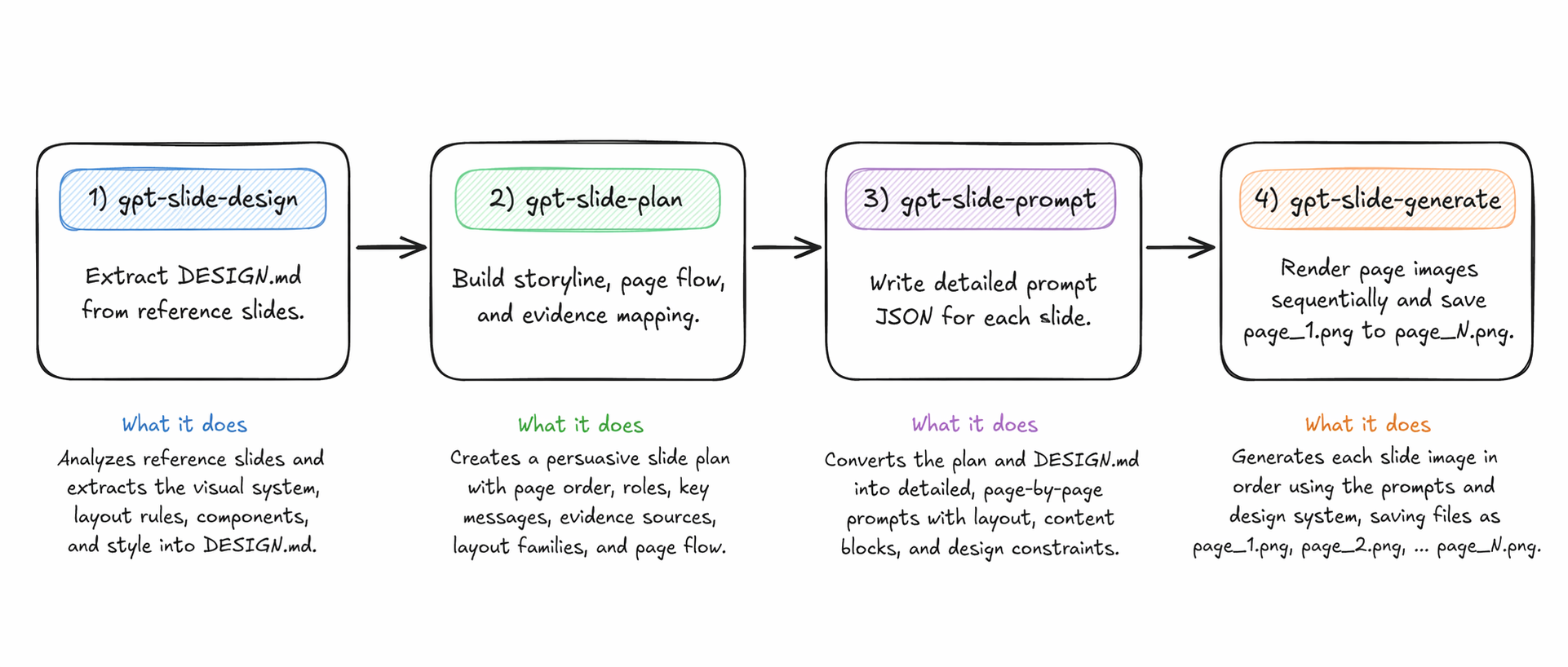
Four skills, one disciplined pipeline.
slide-design
DESIGN.mdExtract a reusable DESIGN.md from a reference slide image: placement, header/body/footer flow, title/body/end-page behavior, icon usage, infographic cards, and diagram rules.
gpt-image-slide-plan
slide_plan.jsonBuild the storyline and page-family rhythm. Decide where tables, charts, icon-led modules, and comparison exhibits belong. Map evidence to slides.
gpt-image-slide-prompt
slide_prompts.jsonConvert the plan into strict per-page prompt JSON. Make layout family, zoning, and anti-generic constraints explicit for every page.
gpt-image-slide-render
page_1.png ... page_N.pngRender slide images one by one with Codex native image generation. Save project-bound assets explicitly with stable, page-numbered filenames.
A single prompt fails in predictable ways.
So this bundle separates responsibilities. Theme first. Story second. Page-level prompts third. Generation last, with explicit, numbered outputs.
- Starts writing slides before the theme is extracted.
- Mixes design analysis with deck strategy.
- Produces page prompts without a real narrative arc.
- Loses layout consistency across body slides.
- Overfits to visible text, not the slide design system.
- Stops after writing prompts, never renders numbered slides.
A typical end-to-end run.
Drop a reference image, point at a PDF, and let each skill stay in its lane.
# 1) Extract design system from reference slide
$ slide-design [reference slide image]

# 2) Build the deck plan from a real source document
$ gpt-image-slide-plan /path/to/report.pdf
  Create a full Korean research-summary deck.

# 3) Convert the plan into strict per-page prompts
$ gpt-image-slide-prompt

# 4) Render slides sequentially
$ gpt-image-slide-render
- DESIGN.md
- slide_plan.json
- slide_prompts.json
- page_1.png ... page_N.png
Install once. Restart Codex. Ship decks.
With the Skills CLI · Requires Node.js 18+.
$ npx skills add jyoung105/future-slide-skill
Manual install · Copy each skill folder into your Codex skills directory.
$ mkdir -p ~/.codex/skills
$ cp -R skills/slide-design ~/.codex/skills/
$ cp -R skills/gpt-image-slide-plan ~/.codex/skills/
$ cp -R skills/gpt-image-slide-prompt ~/.codex/skills/
$ cp -R skills/gpt-image-slide-render ~/.codex/skills/
Stricter enforcement, not more decoration.
- Theme extraction first, content second.
- Strong cross-slide consistency.
- Persuasive story flow with explicit evidence mapping.
- Reusable layout families and body-slide discipline.
- Header/body/footer zoning with role-clear icons & charts.
- Sequential image generation with stable numbering.
- No hallucinated rules when the reference is ambiguous.